# Create a Snapshot

  * Select the cloud disk for which you need to create a snapshot, and click the "Enable Snapshot Service" button.  

<!-- image-todo -->  
![img](https://cdn.udelivrs.com/2025/04/44047334061dd0e45f72c8f5799d7864_1744263510814.jpg)<br>
  * Enable the snapshot service.
<!-- image-todo --> 

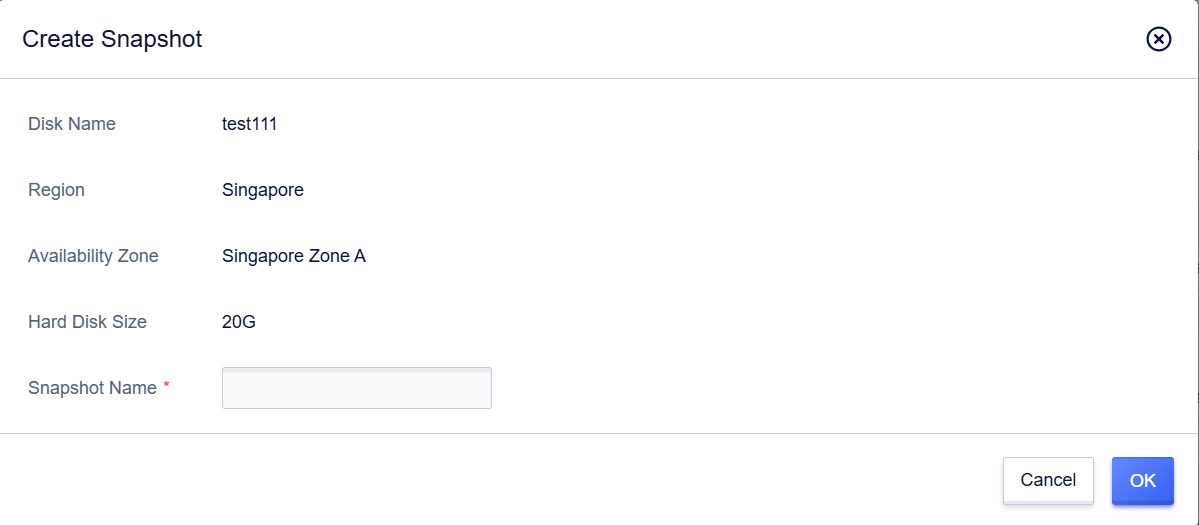
  * Once again select the cloud disk for which you need to create a snapshot, click the "Snapshot" button, and create a snapshot.  

<!-- image-todo -->  
![img](https://cdn.udelivrs.com/2025/04/5171d3fceb300034bb9ba47153a1a1e7_1744263510818.jpg)<br>
<!-- image-todo --> 
![img](https://cdn.udelivrs.com/2025/04/d383f29fc1bc82e406545e8701f63e94_1744263510819.png)<br>
    
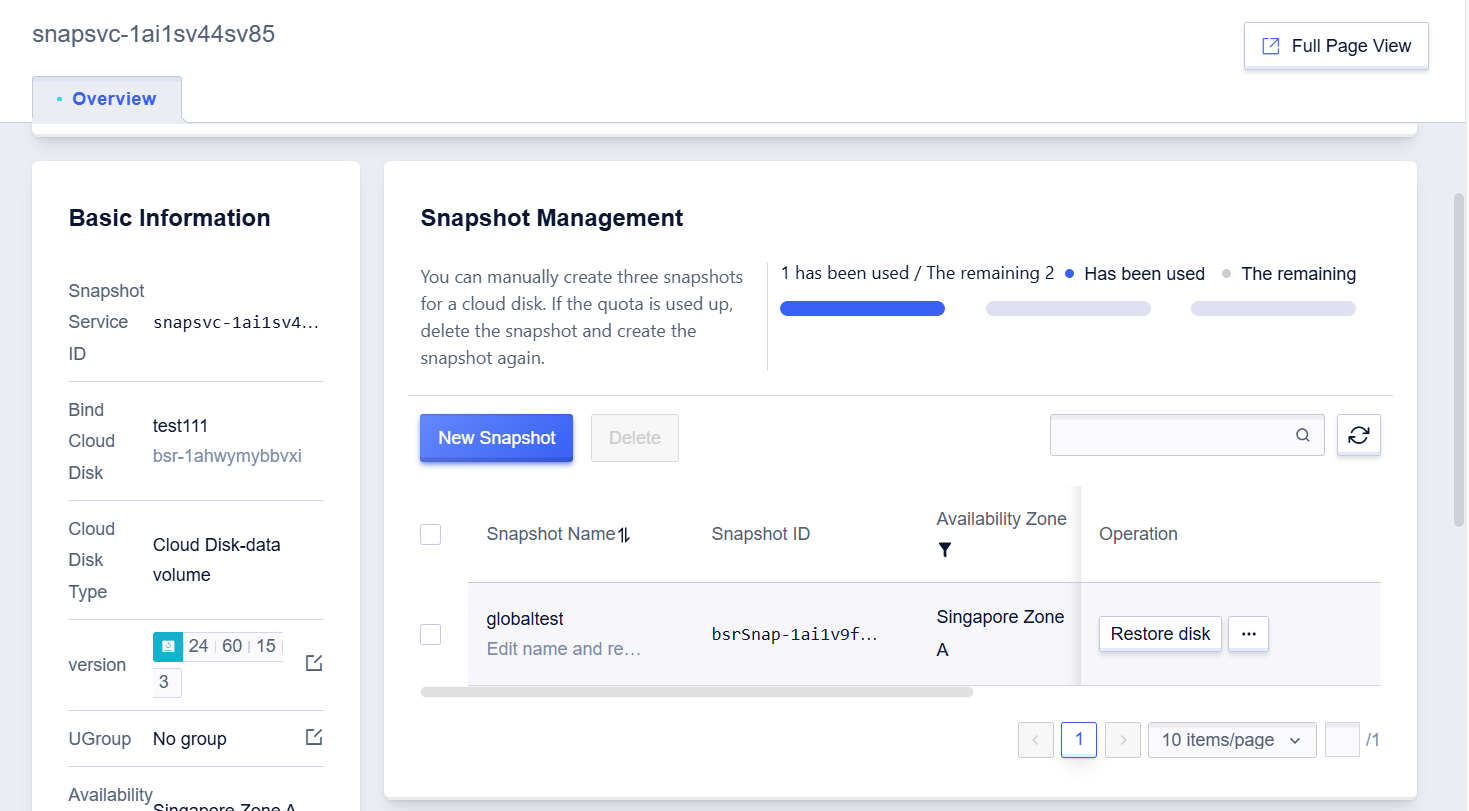
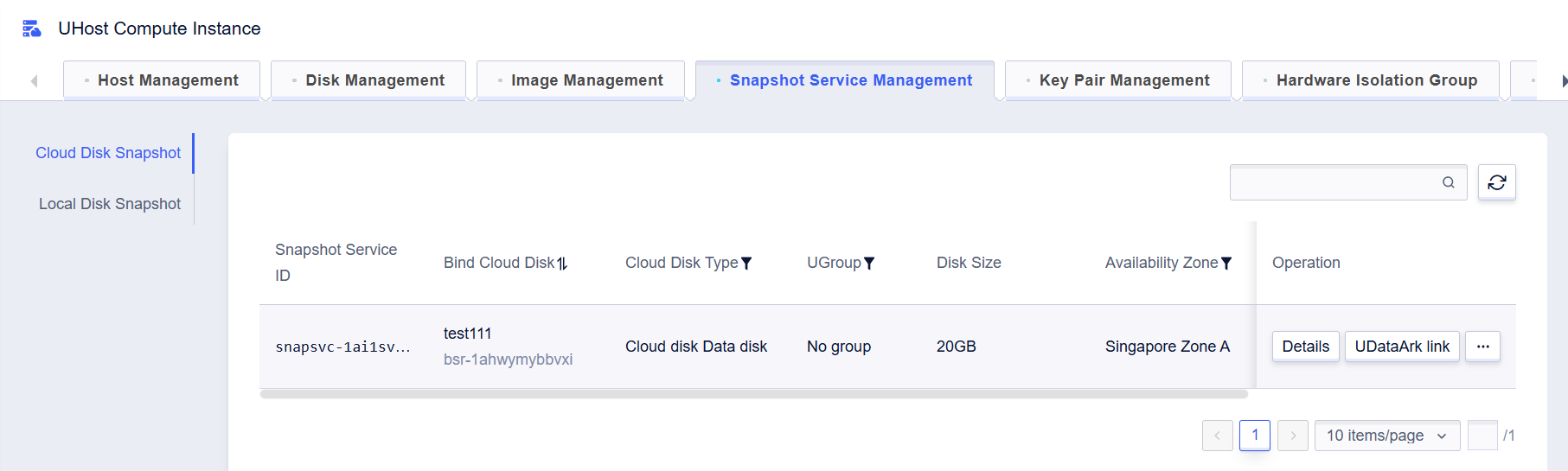
  * Select the cloud host management page/snapshot management tab, enter the details, and check the progress of the snapshot creation. 
<!-- image-todo -->  
![img](https://cdn.udelivrs.com/2025/04/ea00d2c79241e54e23ba6fb4d09c6e1a_1744263510821.png)<br>
<!-- image-todo -->  
![img](https://cdn.udelivrs.com/2025/04/a969b81de1f79d431735621c1aea4765_1744263510823.png)<br>