## Change the Bound Mobile Number
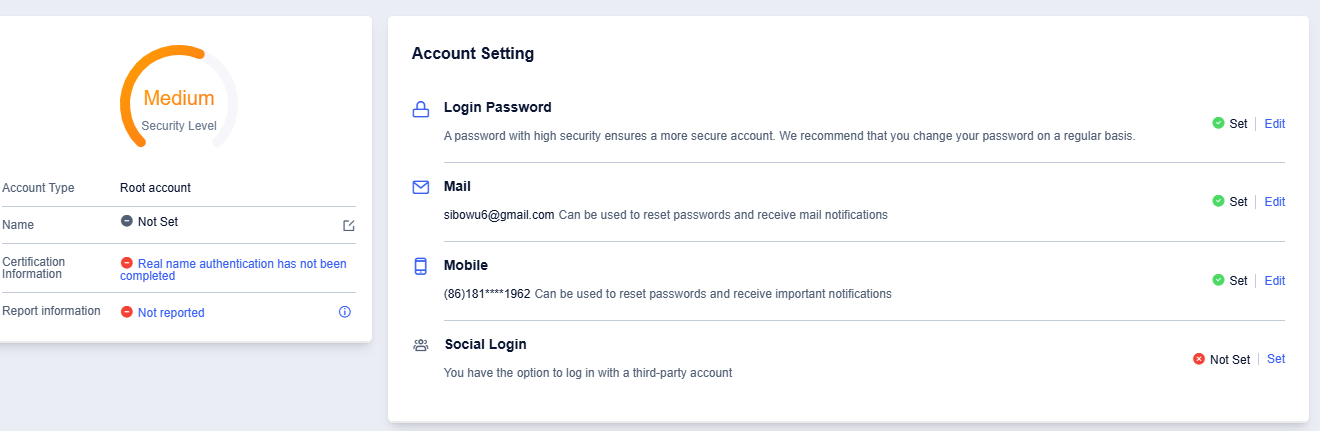
1. Enter Account Setting, and click on the Edit button in Mobile
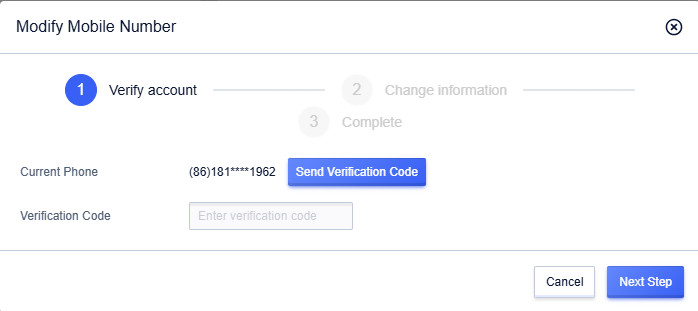
2. Click Send Verification Code, receive and fill in the verification code, and click Next Step
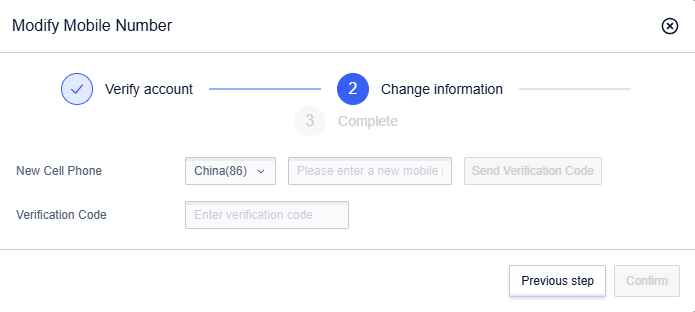
3. Enter the new mobile number, click Send Verification Code, receive and fill in the verification code, and click Confirm
4. Change of the mobile number completed