# Sub-account Management
#### What is a Sub-account?
A sub-account is an affiliated account of the main account. After a user registers a main account, they can create multiple sub-accounts and assign them roles in each project. These sub-accounts are distributed to team members, avoiding the problem of everyone using the same account.
#### How to Create Sub-accounts?
1. Use the master account to enter IAM → User Management → Invite Sub Account
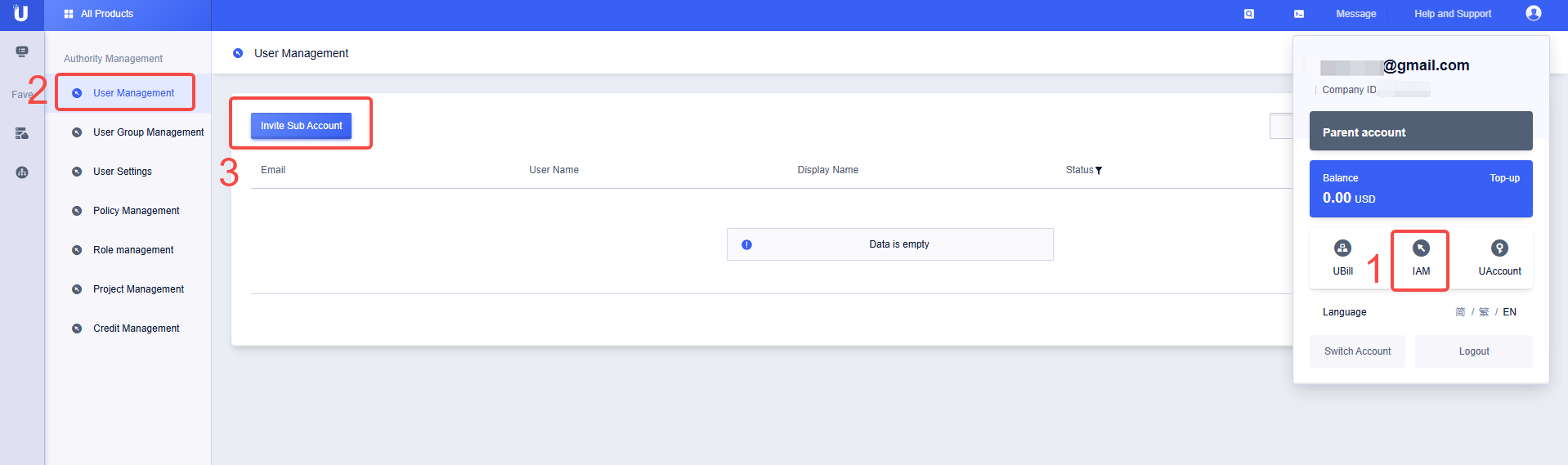
2. Fill in the relevant information of the sub-account and submit

3. Notify the sub-account to receive the activation email and activate the account.
#### How to Freeze/Delete Sub-accounts?
In the User Management, in the last column of operations, you can choose to freeze or log out the sub-account

After freezing, the account cannot operate; if necessary, the master account can unfreeze it, after the unfreeze the account will return to normal
After logging out, this account is no longer a sub-account of the current account and is removed from the sub-account list. If necessary, the master account can create a sub-account again
#### How to Authorize Sub-accounts?
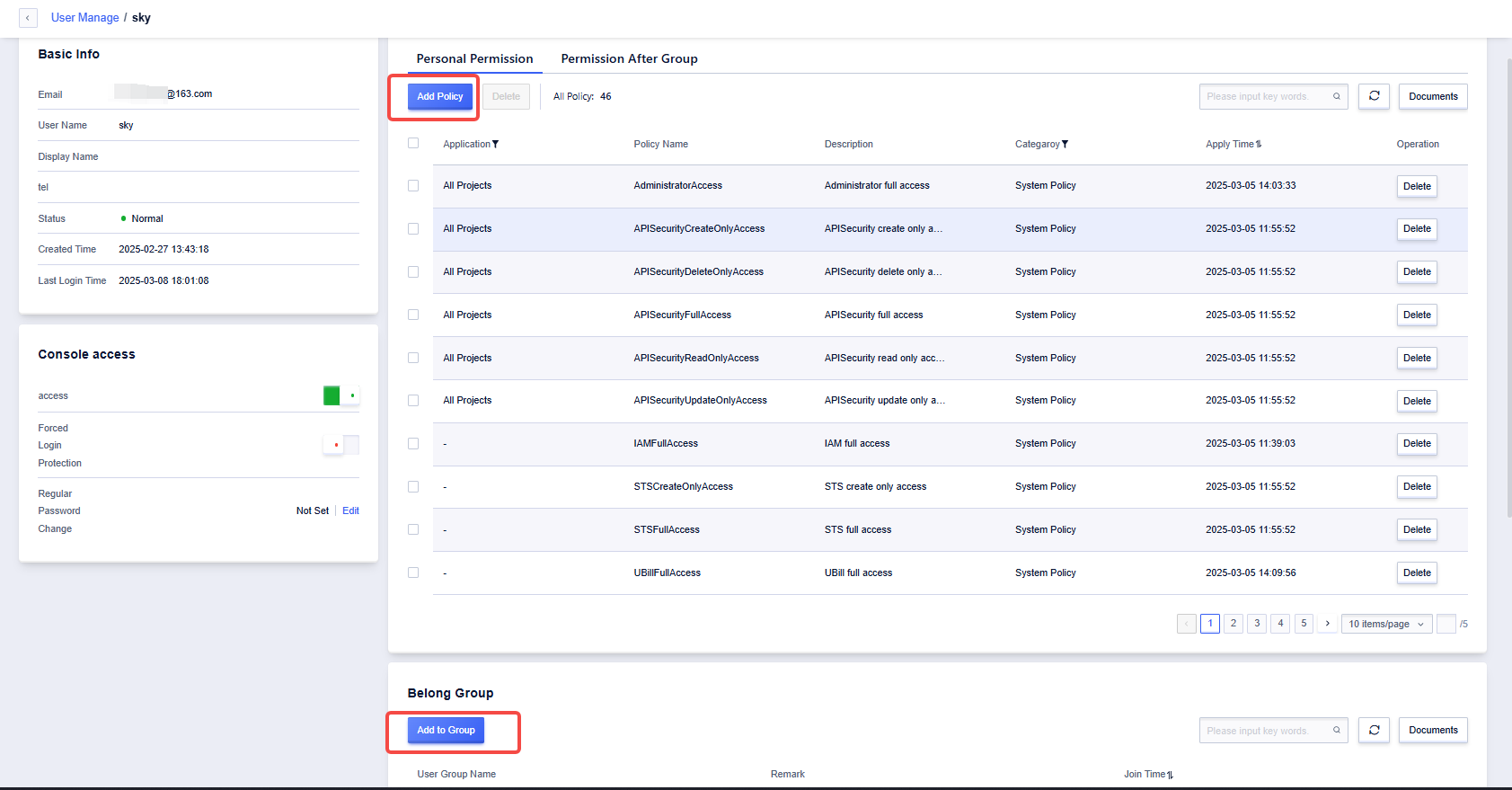
1. To grant individual authority to a sub-user, click Add Policy
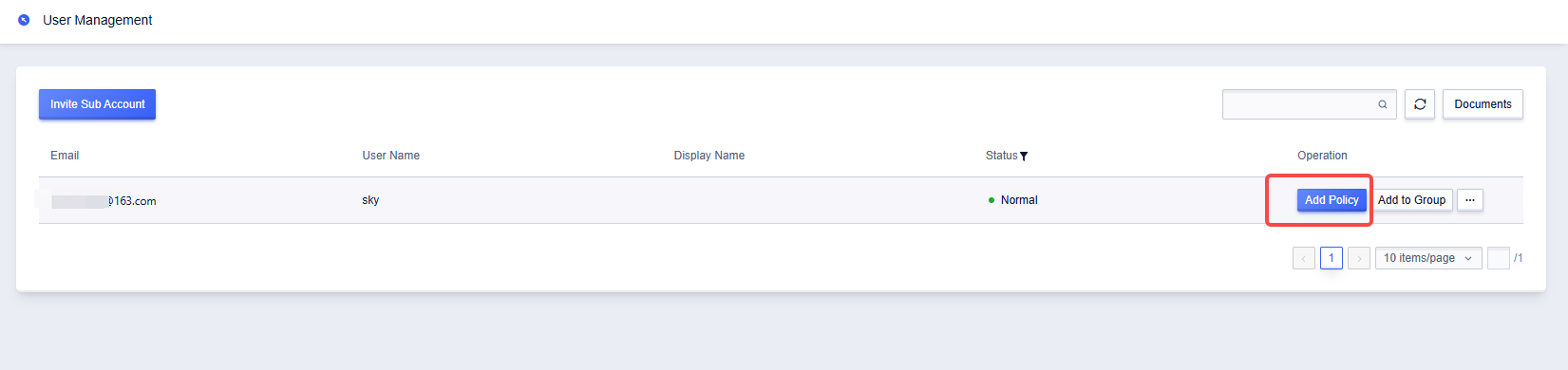
2. In the user details page, you can Add Policy or Add to Group