# Adding a Blacklist/Whitelist
You can add a blacklist/whitelist to an acceleration configuration. After setting up a blacklist/whitelist, you can add IP addresses or IP address ranges to ban or allow access. Single resource addition and batch addition after selection are supported.
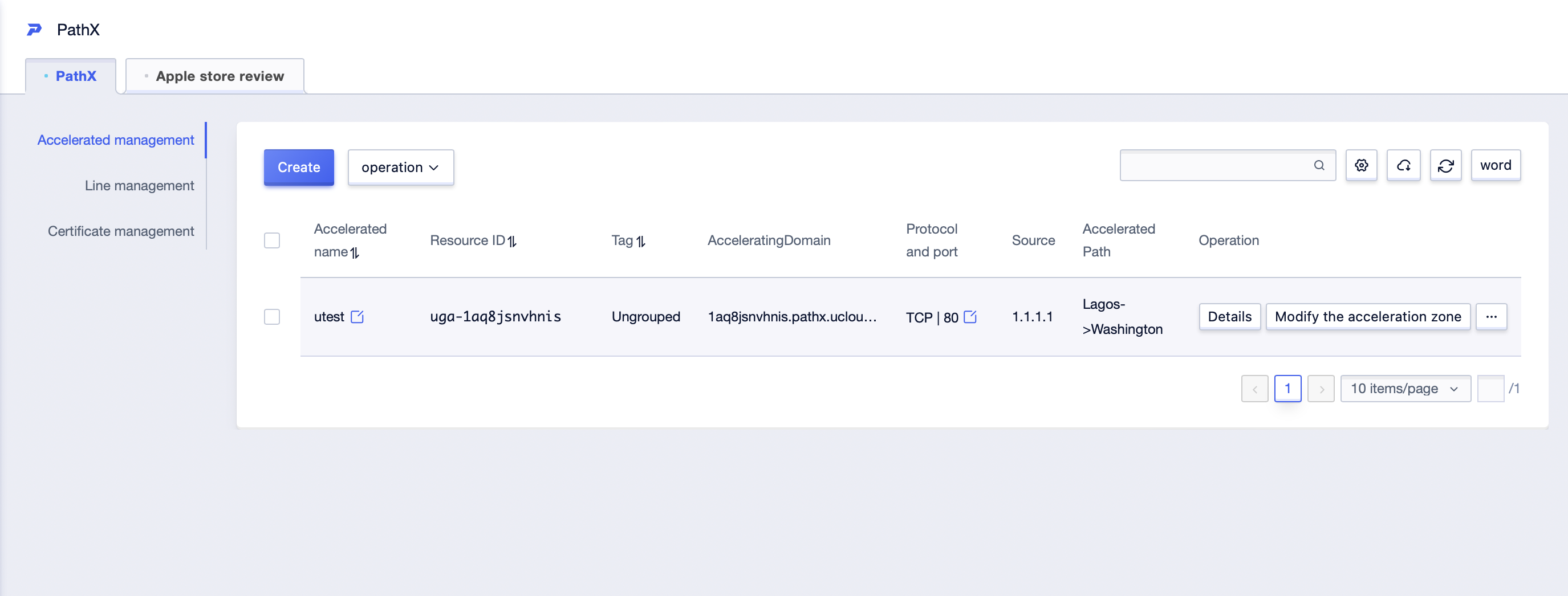
1. For example, you can select the acceleration configuration you want to add a blacklist/whitelist to, and click **Details** in the operation fields.
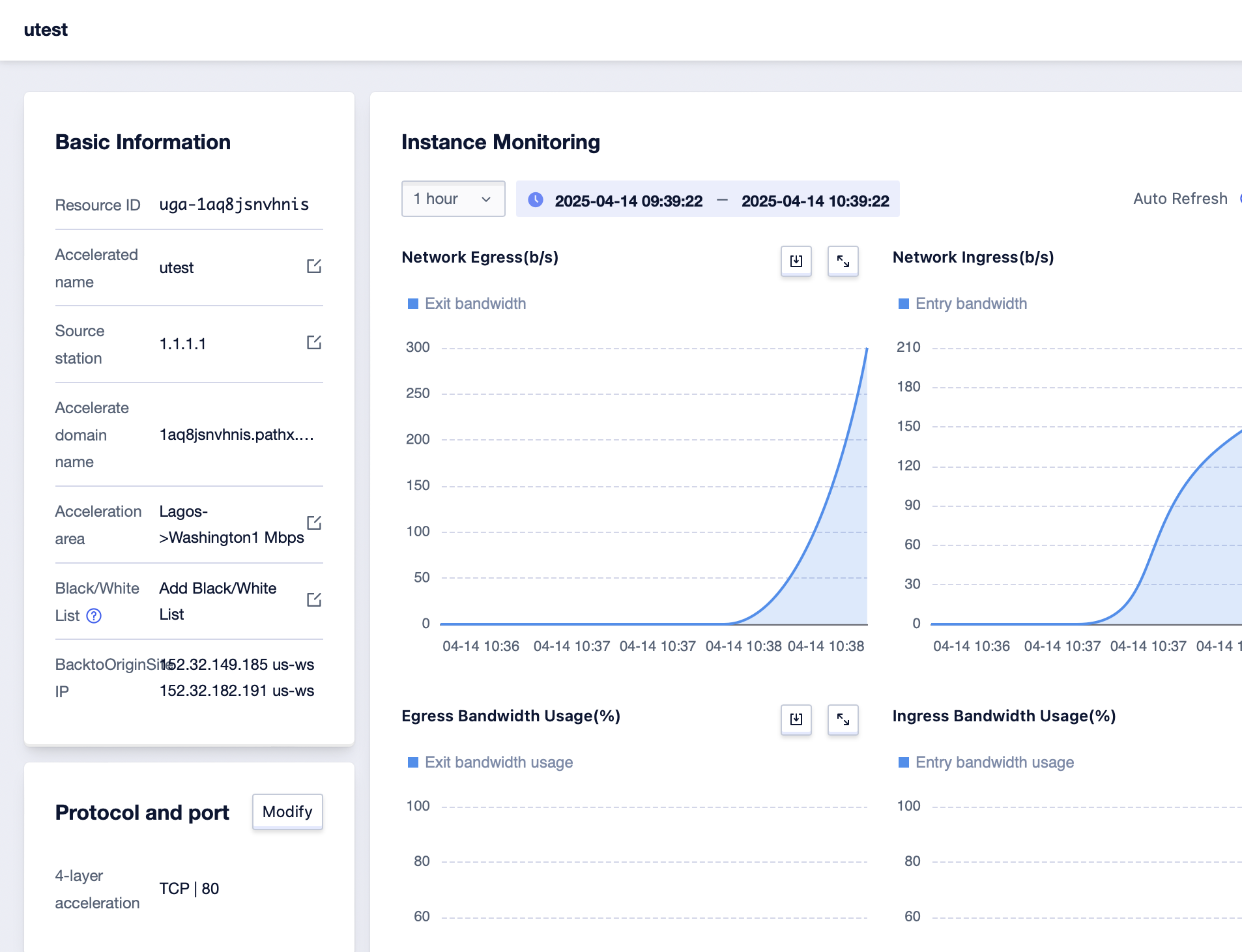
2. Click **Black/White List** on the Basic Information page.
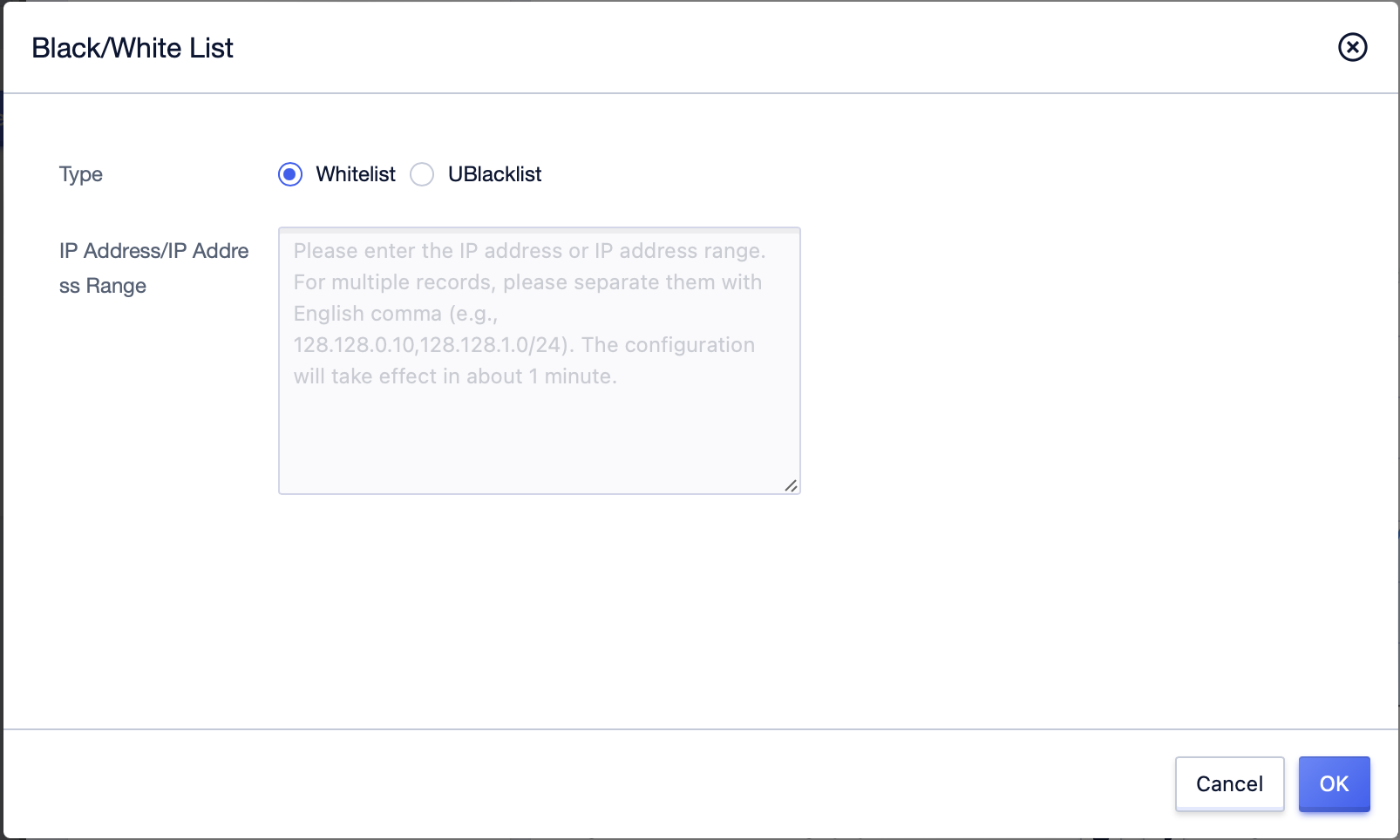
3. In the popped-up **Black/White List** window, fill in the IP address or IP address range of the blacklist/whitelist you want to add, and click **OK**.